RJ Tech DACH Online Store
  • Germany
  • Netherlands
  • Switzerland
  • Austria
  • Norway
  • Finland

D-Robotics D-Robotics · Access and supporting accessories

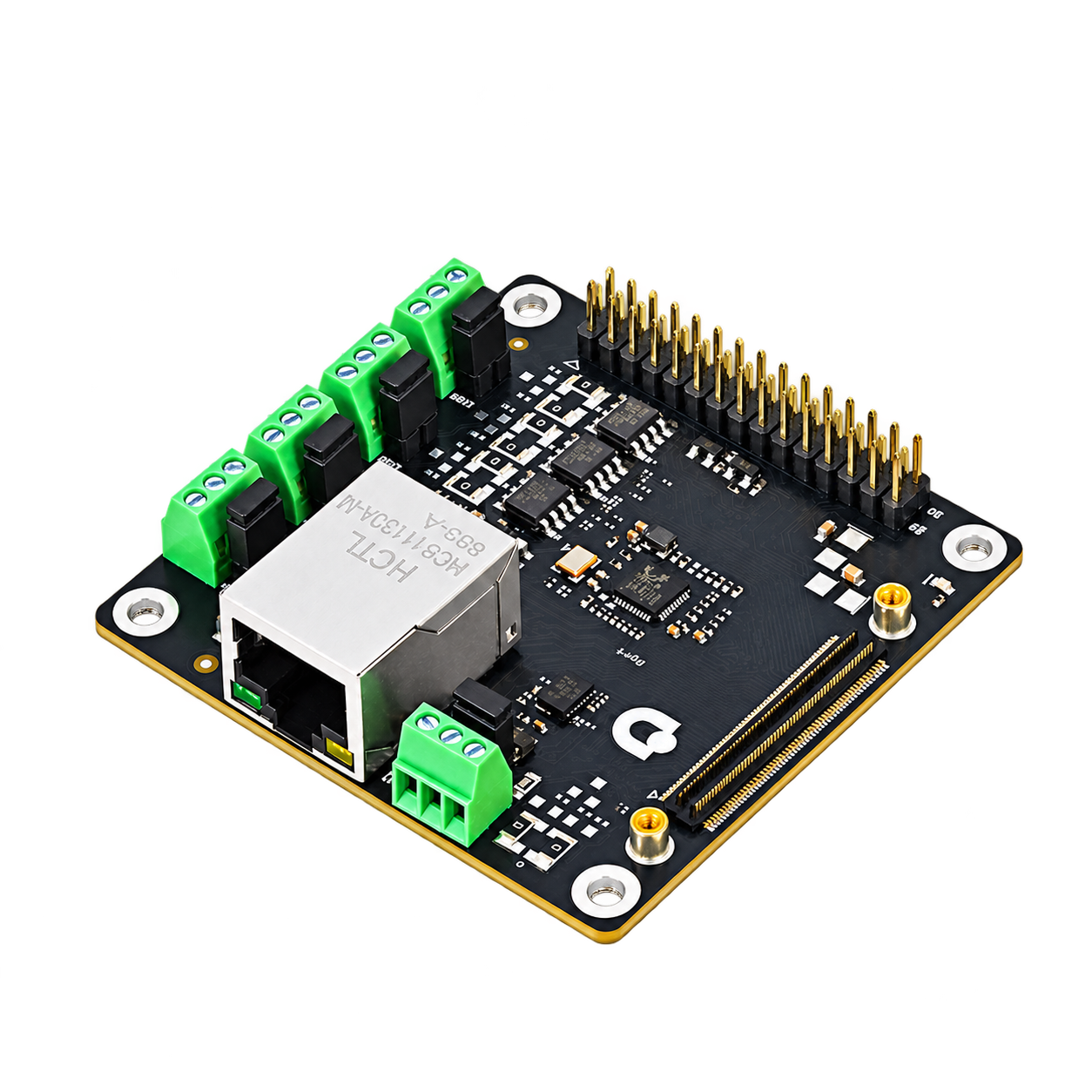
D-Robotics RDK S100 MCU Port Expansion Board

The official MCU interface expansion board for RDK S100/S100P provides access to CAN FD, ADC, I2C/SPI and onboard BMI088.

MCU interface expansion boards Official RDK accessories
5 road CAN FD
BMI088 Onboard IMU
RDK S100 / S100P Applicable motherboard
Placeholder S100 MCU interface expansion board, five-way green CAN terminals and RJ45, transparent background arrangement picture
Product illustration

Overview

  • 5 road CAN FD
  • Onboard BMI088 to avoid unnecessary repeated purchase of IMU
  • According to the corresponding motherboard installation package FPC

Typical tasks

  • Complete the package for the RDK host purchased this time
  • Add functions to existing equipment or replace accessories with specific models

What to consider

  • First select the applicable host, and then check the complete model, hardware version and required quantity.
  • If you already have accessories, please record the exact model; replacement parts and complete operational combinations are sorted separately.
  • For applicable host and official software information, see "Application and Support" on this page.

Supported hosts & software

Supported hosts and connections are listed in the manufacturer's documentation.

Specifications & Interfaces

Key specifications
control interface
CAN interface: 5 road CAN FD, up to 8 Mbps GPIO and debugging: 30-pin: up to 7, ADC, 2, I² C, 2 and SPI
Expansion board included IMU
BMI088
Applicable host
D-Robotics RDK S100 / D-Robotics RDK S100P
Dimensions & Weight
70 × 70 × 17 mm
Conditions
  • S600: V1P0
Operating environment
0–45 °C
Other interfaces & features
Data interface
MCU expansion / CAN FD / ADC / I2C / SPI
Connectors and cables
100-pin FPC host connection; 30-pin expansion; 1× Gigabit RJ45 in the MCU domain

Components & Accessories

Accessory selection

  • Check the package contents, additional connectors, installation conditions and power supply according to the selected model; do not purchase additional components that are already included.

Included items, options, wiring harnesses and mounting hardware are confirmed according to the selected model and system configuration.

Software and usage support

  • Use the system, drivers and official tutorials that match the selected RDK host and accessories.

Operating conditions

  • official documentation indicates that V4.0.2 does not implement the onboard IMU function; check the current software when using it.
  • The official document description matches FPC; the actual packaging content of this platform is subject to sales configuration confirmation.

Technical resources

When using these documents, please check the product model, hardware configuration and document version.

Configuration and backup tools

Edit selection list

  1. 01 Review configuration Model, version and quantity
  2. 02 Describe your application Application, environment and goals
  3. 03 Save summary Copy or download for discussion

Not sent yet. Your list is stored in this browser. Copy or download it to share with RJ.

Edit the full configuration, product selection and project notes here, or restore and download a backup. View full selection list 。

Packages & individual products 0

Packages list their included, extra and customer-supplied items according to the configuration; individual products keep their own quantities.

Application & contact details

You can describe your project without selecting products. Contact details are optional and stay in this browser.